
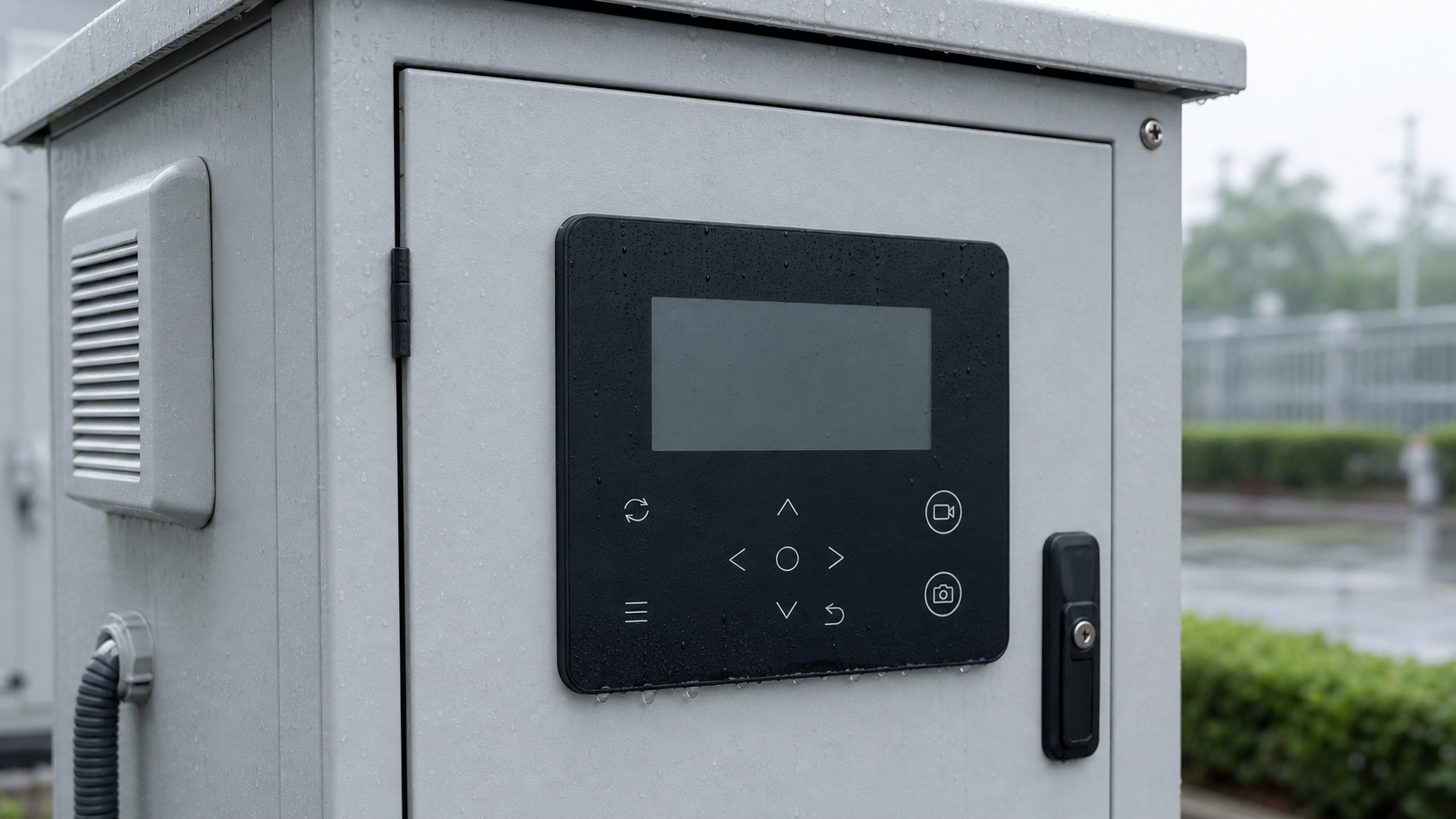
Quick answer: if your product uses a touch switch on an outdoor cabinet, terminal, or service enclosure, do not approve the sample from dry-bench response alone. In hot, wet service conditions, the usual complaint is not total failure. It is false input, delayed response through gloves, or a wet lower edge that keeps the panel unstable after a wipe-down or short rain event. If your project combines a display window, front overlay, tail routing, and sealed mounting, the custom HMI panels page is the closest product reference.
Why this buyer question is current
On June 25, 2026, the Houston point forecast kept the hot, humid pattern in view, and the National Hurricane Center tropical weather outlook kept daily storm-season moisture monitoring active. For buyers of outdoor access controls, utility cabinets, charging equipment, washdown stations, and service terminals, that matters because the panel does not fail only in heavy rain. It often fails after light water film, repeated wiping, and a quick return to operation.
That makes the useful buyer question narrower than "does the touch area work." The real question is whether the panel stays stable when the front surface is damp, the housing is warm, and the operator may be wearing thin gloves.
False triggers usually start at the edge condition, not the center touch point
A touch switch can look fine in a sample video and still become unreliable after installation.
Common field complaints are:
- A water bead near the lower border acts like a drifting touch.
- The touch area rejects one press, then accepts the next because moisture has moved across the printed border.
- A glove-friendly setting makes the panel too sensitive after the enclosure warms up.
- The active area is stable in the center but unstable near the window edge or corner radius.
- Cleaner residue stays in a recess and changes the next touch cycle.
- The front panel dries visually before the electronics return to a stable threshold.
This is why a touch-switch review should focus on moisture behavior and recovery sequence, not only on normal dry activation.
Test glove mode and water rejection together
Many projects check these two items separately. That misses the tradeoff.
If sensitivity is raised so a thin work glove can trigger the panel easily, the same tuning may become too loose when condensation or wipe residue remains on the surface. If sensitivity is tightened to reject water better, the operator may need a harder press or a bare finger.
Before sample approval, confirm:
- Bare-finger operation target.
- Thin-glove or work-glove requirement.
- Whether accidental brush contact must be ignored.
- Whether the panel must wake instantly after cleaning or can tolerate a short lockout period.
- Whether the controller can support different thresholds for service mode and normal mode.
- Whether the customer expects a visual or audible feedback method when a wet touch is rejected.
A good sample is not the one that feels most sensitive on the desk. It is the one that stays predictable across the real input conditions.
Housing details decide where moisture stays longest
For outdoor touch switches, the front graphic is only one part of the problem. The enclosure geometry often decides where false-trigger risk begins.
Check these structure points:
- Recess depth around the front panel, especially at the lower edge.
- Drain path or lack of drain path near the active area.
- Border width between the display window and the touch zone.
- Adhesive coverage at corners, where a slight lift can trap moisture.
- Tail exit and connector path so the panel does not need extra flex near a wet edge.
- Surface finish choice, because a glossy window may shed differently from a matte anti-glare zone.
One common mistake is reviewing the panel as a flat part while ignoring the housing lip that keeps a thin water film in contact with the edge for too long.
The sample test should copy the restart sequence, not just the touch event
For this type of project, one-touch videos are weak evidence. A better review is a short service-cycle test.
Run this sequence:
- Install the sample on the real housing or a close mechanical fixture.
- Warm the enclosure to the expected operating condition.
- Apply a light spray, wipe-down, or controlled water film that matches the real service routine.
- Test one clean intentional input, one gloved input, and one edge-near input after the surface is partially cleared.
- Record whether the panel rejects false touches during the wet phase and how quickly it returns to stable response.
- Recheck the lower border, corners, and display-window edge after a short idle period.
- Inspect whether residue, trapped moisture, or housing pressure changes the next input cycle.
That sequence tells the buyer more than a dry response demo ever will.
RFQ checklist for outdoor touch switch projects
Send these items before asking for a final quote or revised sample:
- Front-panel drawing with active touch zones, display window, border width, and corner details.
- Housing photo or section view showing recess depth, sealing surface, and drain path.
- Use condition note covering rain splash, wipe-down routine, humidity, and glove requirement.
- Electronics note stating touch method, threshold concerns, feedback method, and controller limits if known.
- Tail direction, connector position, and rear clearance around the mounted panel.
- Surface preference such as gloss, matte, anti-glare, or anti-fingerprint coating.
- Any failure photo or video from the previous build, especially false touch, missed touch, or slow recovery after cleaning.
- Sample quantity, approval timing, and whether the project needs a touch-only panel or a broader HMI assembly.
If your team is ready for review, send the package through the Request Quote form so the front panel, housing stack, and wet-service behavior can be checked together.
Final approval decision
For outdoor touch switch panels, approval should come only after the buyer confirms false-trigger control, glove response, moisture recovery time, and housing-edge behavior on an assembled sample. That review usually prevents the common field complaint where the panel looks sealed and modern but becomes unpredictable during the first wet service call.
Need help reviewing a structure?
Send your drawing, photos, application, and quantity. Baoshengda can help check the structure before sampling.
Send Drawing for Quote