
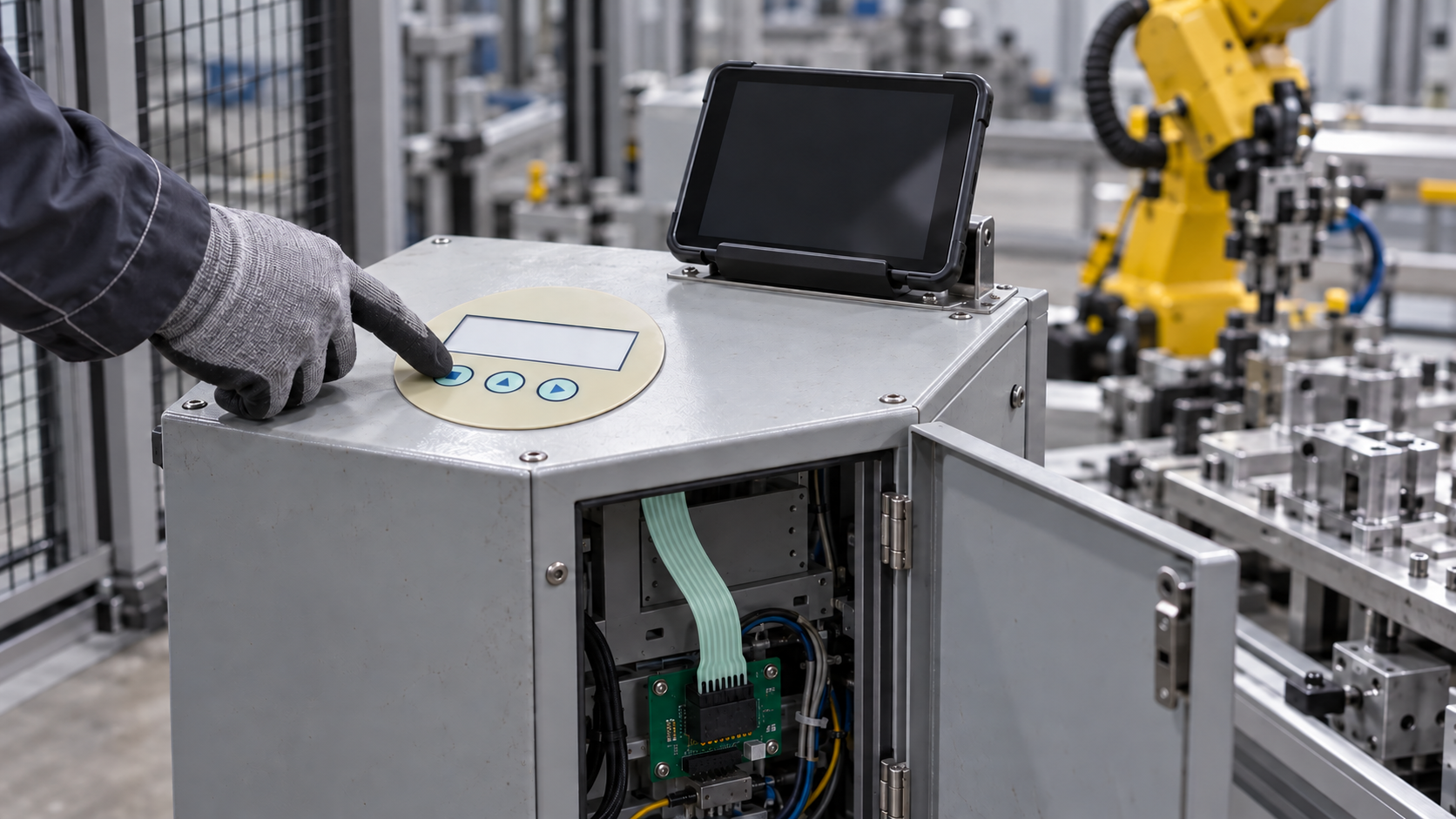
A robot cell can use a tablet for teaching and still need a small fixed keypad for routine, non-safety actions at the station. The key decision is not whether a membrane switch can replace a teach pendant. It cannot replace a required emergency stop, enabling device, safety circuit or approved robot-control procedure. Instead, map the few auxiliary tasks that an operator must perform at a known physical location, then specify their input logic, mounting position and controller connection. Start an enquiry with the task list, a rough panel envelope and a photo of the intended station. A detailed pin map and mounted sample plan can follow before quotation and release.
Why a portable teaching interface changes the local-panel question
ABB Robotics announced its E-Device on September 21, 2026, describing robot interaction from a customer tablet or PC while dedicated physical safety controls remain in the robot system. That announcement is a useful prompt for a separate OEM question: what, if anything, should remain on an auxiliary workcell station when programming and detailed monitoring move to a portable screen? ABB does not describe a Baoshengda part or endorse an auxiliary membrane keypad. Its product and safety functions must not be inferred from a component illustration.
For a workcell builder, a fixed panel may be useful for narrowly defined, non-safety actions such as opening a maintenance menu, acknowledging a non-safety status message, or selecting a documented inspection screen. The controller, not the printed legend, determines what a press actually does. A temporary tablet can carry detailed views, while a local key remains findable at one station. Conversely, if a function is rarely used or needs complex choices, adding keys may only create another revision and a training burden. The first design decision is therefore a function allocation, not a button-count choice.
**Answer and evidence.** A passive membrane keypad is a candidate only for a fixed auxiliary action whose state, controller input and mounting location the OEM can define. ABB's current E-Device release shows why portable teaching and dedicated physical controls must be considered separately. Baoshengda's industrial automation HMI capability covers custom membrane-switch fronts, overlays and connection-layer review. First-party examples show a printed front, a flexible tail and a connector. That evidence supports discussing a component sample; it does not prove compatibility with ABB equipment, safety suitability, robot behavior or a finished installation.
Keep the input roles separate
A useful application review divides the workcell into three roles. The tablet or PC carries detailed programming and diagnostics under the robot maker's approved workflow. Dedicated safety hardware performs functions assigned by the machine's safety design. An optional local membrane keypad is only an ordinary input to the OEM's own auxiliary controller, if the OEM chooses to add one. A graphic on film must never be treated as a safety function by itself.
| Buyer decision | When a fixed film keypad may help | Evidence to request before choosing it |
|---|---|---|
| Action must be available at one station | A small set of repeatable, non-safety prompts needs a consistent physical location | Task and state table, operator position, controller input mapping |
| Action changes with software revision | A printed key may become misleading when the screen workflow changes | Legend owner, firmware-to-key mapping, revision approval route |
| Station is tight or exposed | A thin front may fit where a bulky assembly does not | Housing drawing, usable adhesive land, cleaning/contact conditions, tail exit |
| Function belongs to the safety system | Do not assign it to an ordinary membrane keypad | OEM risk assessment and the specified, approved safety hardware path |
The table does not establish that any cell needs a fixed keypad. It tests whether an auxiliary input is justified. If the functions are fully served by the portable interface, the right component order may be no keypad at all. If a fixed input is justified, the owner should give each key one documented purpose and define what feedback confirms a press. A blank status window or indicator zone should not be specified merely because a reference photo has one.
Design the front around the cabinet and the operator
A useful first drawing starts at the enclosure, not the artwork. Mark the available face area, door swing, viewing angle, glove use and any clearance needed for service. Put the key where a person can reach it without crossing a guarded process area. Keep the tablet holder and the fixed keys visually distinct so a user does not mistake an auxiliary prompt for robot teaching or a safety control. If the station has a hinged door, check the tail path and bend during service opening. A flat tail that looks complete on a bench can still be pinched by a flange or forced around a sharp edge after mounting.
The electrical drawing must identify the keypad contact arrangement, connector orientation, mating part and input voltage supplied by the OEM controller. Do not infer a pin map from an attractive front view. Decide whether tactile domes, backlighting or an overlay-only variant are actually needed for the intended action. More features add stack-up, wiring and verification work. Baoshengda can review a component drawing and sample construction; the machine builder owns the control logic, safety assessment, enclosure integration and final operator procedure.
Use a mounted sample to resolve the risky assumptions
For an initial enquiry, send the intended non-safety action list, a rough cabinet-front envelope, expected operator position and whether the request is for an overlay, a switch circuit or both. Those inputs are enough to discuss a likely component scope without demanding a production-release file. For an indicative quote, add the key count, front material and finish preference, window requirement, annual quantity range, tail route and preferred mating connector. Treat these as quotation assumptions until the drawing is agreed.
At sample stage, mount the actual film component on the intended or representative metal front. Check alignment, key feel in the operator's working posture, window visibility, tail clearance through the door cycle and electrical continuity at the mated connector. The OEM should separately test the controller response and ensure a stuck, missed or repeated ordinary input is handled as required. Neither a cover image nor a loose keypad can validate that installed behavior. If cleaning or ingress exposure matters, define the actual agents, contact pattern and assembly boundary for a dedicated test rather than claiming an IP rating from the film face.
Production release comes later: approve the revision-controlled artwork, circuit map, material stack, connector definition, inspection plan, sample disposition and the OEM's installed validation. Changes to labels or firmware mapping after approval need a new review, even if the number of buttons is unchanged. That prevents the fixed station from becoming a silent exception to the tablet workflow.
What to send next
For a component discussion, share a non-confidential station photo or sketch, the auxiliary task list and approximate front dimensions. If a switch circuit is needed, include any known controller input and connector preference; unknowns can be marked as assumptions. Baoshengda can review the industrial automation HMI component scope and propose a drawing-and-sample discussion for the film front, keys, tail and termination. Use the Request Quote route to start that discussion. The request is for an auxiliary interface component, not ABB E-Device hardware, a robot safety device, software integration or certification of the completed cell.
Need help reviewing a structure?
Send your drawing, photos, application, and quantity. Baoshengda can help check the structure before sampling.
Send Drawing for Quote